What is going on
When the volume seems to reset, it is usually one of these normal behaviors.
- Switching outputs switches volumes. Your speakers and each pair of headphones keep their own level, so moving between them changes the volume, even when you did not touch it.
- The last level comes back. Headphones return at whatever you left them at. Turning up for one quiet video changes where they start tomorrow.
- Other devices keep their own levels. Headphones that also connect to your phone or tablet bring nothing from those devices. The Mac only knows the level you used on the Mac.
- Some AirPods adjust the volume as you listen. Personalized Volume, on AirPods models that have it, fine-tunes media volume based on your surroundings and listening habits. If the level drifts during playback, that may be why.
How to make the volume predictable
None of these add a fixed headphone volume to macOS, but together they take most of the surprise out of it.
- 1
Set the level while the headphones are the output
Where: Control Center, Sound
Change the volume with the headphones connected and selected. That level is stored for that pair, and your speakers keep theirs.
- 2
Check where the sound is going
Where: Control Center, Sound
If the volume seems to change on its own, check the selected output. The sound may have moved to a display, a dock, or a pair you forgot was connected, and that output has its own level.
- 3
Turn off Personalized Volume
Where: System Settings, Your AirPods
If your AirPods have it and the level drifts while you listen, switch it off. Their settings appear in the sidebar while they are connected.
- 4
Automate it with Shortcuts (macOS Tahoe 26 and later)
Where: Shortcuts, Automation
An automation can run Set Volume when a Bluetooth device connects. It does not cover wired headphones, or switching to a pair that is already connected. The default AirPods volume guide has the steps.
Give every pair the same starting level
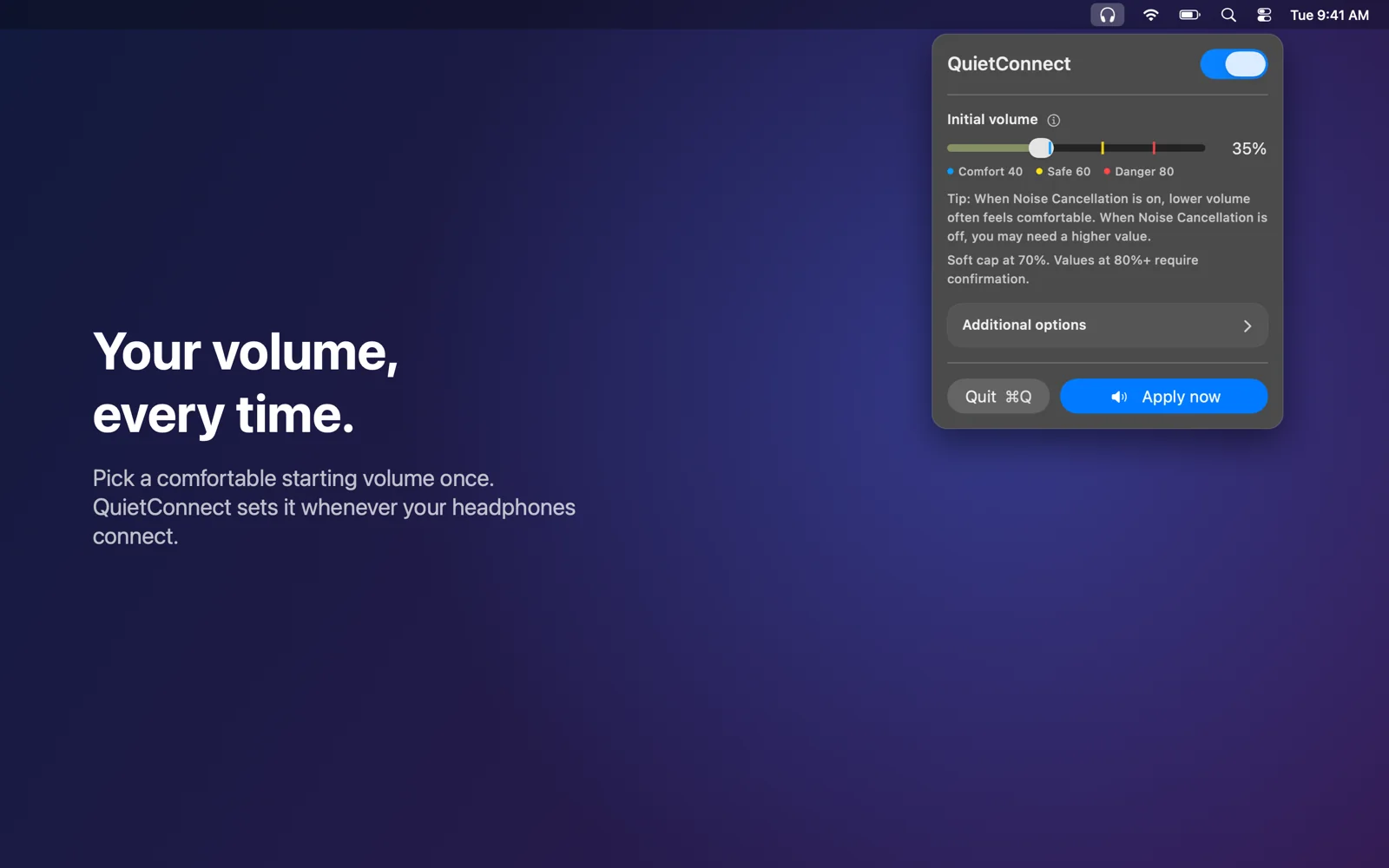
QuietConnect watches for the moment headphones become your Mac’s sound output, whether they just connected, you plugged them in, or you picked them in Control Center, and sets the level you chose. It works the same for AirPods, Sony, Bose, Beats, and wired headphones, so the starting volume is always yours.
- 1Pick your level onceSet a starting volume in the menu bar. It is 35% until you change it.
- 2Use your headphones as usualConnect them, plug them in, or switch outputs. QuietConnect sets your level each time headphones become the output.
- 3Adjust freelyIt only sets the starting point. Your volume keys work as usual, and your speakers keep their own level.